



Cookie Casino App (NZ): Fast PWA for iOS & Android Play
Install the Cookie Casino PWA in seconds. Full-screen play, NZD payments, bonuses, and VIP on iOS & Android—no App Store or Play Store needed.
Join NowCookie Casino’s mobile experience for New Zealand players is delivered as a Progressive Web App (PWA). PWA is a lightweight, secure, and fast “app‑like” version of the site you can install straight from your browser.
There’s no need to search the App Store or Google Play; you get a full‑screen launcher on your phone, smooth navigation, NZD payments, and the same promotions and VIP progress you see on desktop.
This guide explains how to install it on iOS and Android, what devices it works best on, and why many Kiwi players now prefer the PWA to traditional apps.
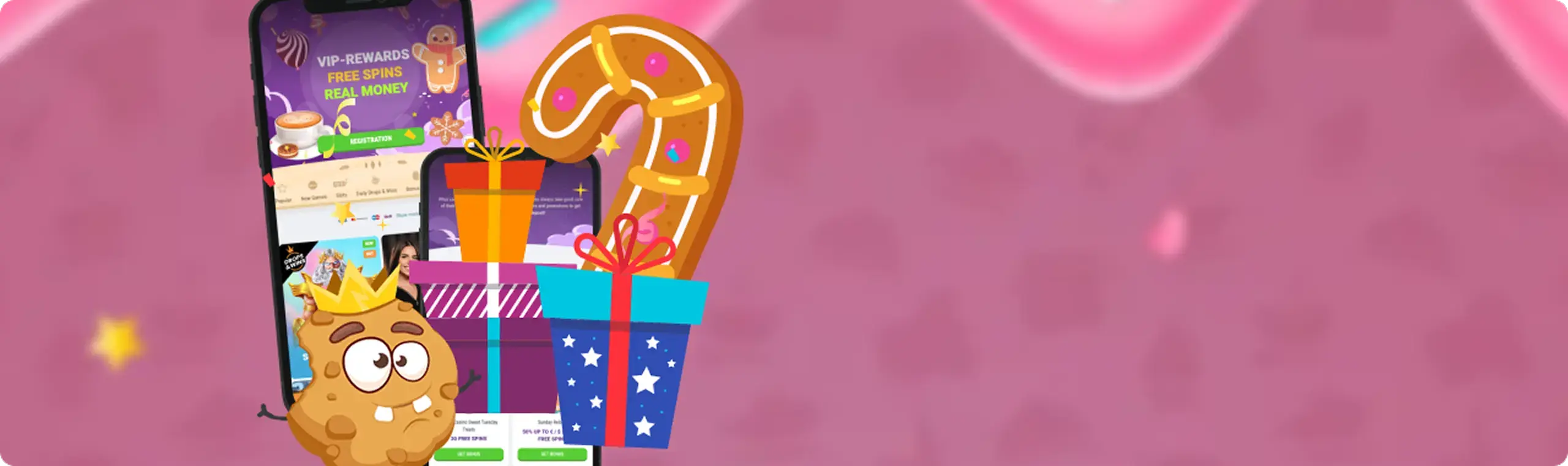
How to Download & Install
The Cookie Casino App is a PWA, so installation happens in your browser and takes less than a minute. Below you’ll find clear steps for iOS and Android. Because this is a web app, there is no official listing in Apple’s App Store or Google Play.
If you ever see a ‘Cookie Casino APK’ on a third-party site, avoid it—unofficial packages can be unsafe and are not supported by the casino. The PWA is the official, secure route.
Before you begin: make sure your connection is stable (Wi‑Fi or 4G/5G), and you’re visiting the New Zealand version of the site (en‑NZ) so currency and offers display in NZD. If you ever remove the icon or clear your browser data, simply revisit the site and add it again—the PWA installs in seconds and always pulls the latest build.
iOS (iPhone & iPad) — Add to Home Screen
Start by using Safari, which offers the best Add to Home Screen experience on iOS:
- Open Safari and go to cookiecasino.com.
- Log in or sign up so the app remembers your account when launched..
- Tap the ‘Share’ icon (square with the upward arrow).
- Scroll and select ‘Add to Home Screen’.
- Edit the name to Cookie Casino (optional) and tap ‘Add’.
- The purple Cookie Casino icon now appears on your Home Screen—tap it to launch in full‑screen like a native app.
Tips for iOS:
- Keep iOS updated. iOS 16.4+ adds modern PWA capabilities and more reliable notifications.
- For Face ID/Touch ID logins, enable “Remember me” in the login box, then your device can autofill credentials securely via Keychain.
- If a screen looks zoomed after installation, open the PWA, tap the AA menu in Safari’s address bar (top left), and choose Hide Toolbar/Use Content Blockers off to keep it immersive.
- Don’t see ‘Add to Home Screen’? Verify you’re using Safari (not an in‑app browser), tap the ‘Share’ icon, scroll to find the option, or add it from the … More actions panel. As a last resort, clear website data for cookiecasino.com (Settings → Safari) and revisit the site.
- Remove/reinstall: press and hold the icon → ‘Delete App’ (this only removes the PWA shell), then repeat the steps above to add it back with the latest build.
 Download the
iOS App
Android (Phones & Tablets) — Install the Web App
Chrome offers the smoothest PWA flow on Android, but Edge, Firefox, Brave, and Samsung Internet also work well:
- Open Chrome and visit cookiecasino.com.
- Log in or sign up.
- Look for the banner/prompt “Install App” or “Add Cookie Casino to Home Screen.” If you don’t see it, open the menu (⋮) and tap ‘Install App’ or ‘Add to Home Screen’.
- Confirm the install. A launcher icon appears in your app drawer and Home Screen.
- Launch from the icon for a full‑screen, app‑like experience.
About APKs on Android:
Some casinos distribute APK files, but Cookie Casino does not publish an APK. The PWA is the official ‘Cookie Casino App’ on Android. Installing ‘Cookie Casino APK’ from third‑party sites is not recommended—it can expose your device to security risks, and support won’t be able to assist with unofficial builds.
If you strongly prefer an APK workflow for any reason, the safe alternative is to create a Chrome WebAPK by using the PWA install flow above (Chrome packages the web app under the hood).
Quick Android tips:
- Allow the PWA to stay in memory by closing heavy background apps during long live‑casino sessions.
- For quicker payments, enable autofill for cards/wallets in Chrome settings.
- If the video looks choppy, toggle Use hardware acceleration in your browser settings and switch to Wi‑Fi.
- Install prompt missing? Visit the site in Chrome, wait a few seconds, then open ⋮ → ‘Install App’. If you still don’t see it, update Chrome, ensure you haven’t previously dismissed the prompt (‘Settings’ → ‘Privacy and security’ → ‘Notifications’), or clear site data and reload.
- Uninstall: long‑press the icon → ‘App info’ → ‘Uninstall’ (or remove), then re‑add from Chrome. This doesn’t touch your account or funds.
 Download the
 Android App
App Features & Benefits
The PWA delivers the key advantages of a native app without the storage overhead or store approvals. Here’s what you can expect on iOS and Android in New Zealand:
- One‑tap access, full‑screen play: Launching from your ‘Home Screen’ opens Cookie Casino in an immersive, chrome‑free window. Navigation is fast and thumb‑friendly—pokies, live tables, cashier, and promotions are a tap away.
- Optimised for mobile: Game tiles are touch‑sized, search is prominent, and lobbies use lazy‑loading so lists feel instant on 4G/5G.
- NZD payments & bonus claiming: Deposit and withdraw in NZD using familiar methods (cards, bank solutions, vouchers, and e‑wallets available to NZ accounts).
- Same promos, same VIP progress: Your welcome steps, Tuesday spins, Sunday reload, and 30‑level VIP journey are mirrored in mobile. Comp Points (CPs) accrue normally, and level‑up rewards are credited to your account.
- Lightweight & private: PWAs cache just what they need. Account security is the same as desktop: encrypted transport, verified payments, and standard KYC checks for withdrawals.
- Battery & data conscious: The app streams only what’s visible. Live‑dealer games dynamically step down video when bandwidth dips; slots pre‑fetch small assets while you browse, so gameplay feels snappy without burning data.
- Security by design: Because you install from the official domain, you always run the current, signed build served over HTTPS. Signed payments, two‑factor checks from your bank, and device‑level biometrics (Face ID/Touch ID or Android biometrics) perform as expected.
- Mobile banking that fits NZ: The cashier mirrors desktop and supports a broad NZ‑friendly mix—Visa, MasterCard, PaysafeCard, major e‑wallets like Skrill and Neteller, popular vouchers such as Neosurf, and additional region‑supported options (e.g., Ecopayz) where available.
- Responsible‑play tools at your fingertips: Set deposit, loss, wager, and session limits from your profile on mobile. Reality checks can remind you when time passes, and cool‑offs or self‑exclusion are accessible without leaving the PWA.
- Smart notifications (where supported): On Android and on iOS 16.4+ for installed PWAs, you can opt in to browser notifications—handy for level‑up rewards, free‑spin batches, or important account messages.
- Accessibility & readability: Large‑text modes in iOS and Android are respected across menus and paytables. High‑contrast UI, spacious buttons, and haptic feedback (on supported devices) keep navigation comfortable.
App Requirements & Compatible Devices
Every modern smartphone or tablet can run the PWA, but a few specs ensure the smoothest experience—especially for HD live streams and long sessions. Below, you’ll see all the necessary details.
iOS (iPhone & iPad)
Here is a quick overview of the iOS requirements and compatible devices:
- OS: iOS/iPadOS 13.0 or later (best with 16.4+ for the latest PWA features).
- Devices: iPhone 8 and newer, iPad 6th gen and newer; earlier models work but may throttle HD streams.
- Browser: Safari (preferred); you can also install from Chrome, but Add to Home Screen is most reliable via Safari.
- Hardware: A‑series chip A12 or newer, 2 GB RAM+, 1 GB free storage for cache/assets.
- Connectivity: Consistent 10 Mbps+ for HD live tables; slots run fine below this.
Download the IOS app

Android (Phones & Tablets)
Here are the recommendations for Android users:
- OS: Android 8.0 Oreo or later (Android 10+ recommended).
- Devices: Most modern Samsung, Google Pixel, Oppo, Xiaomi, OnePlus, Nokia, Motorola; tablets like Samsung Tab A/S or Lenovo M series.
- Browser: Chrome 80+ (preferred); Edge, Brave, and Samsung Internet also work.
- Hardware: Snapdragon/Exynos/MediTek mid‑range or better, 3 GB RAM+, 1 GB free storage for cache/assets.
- Connectivity: Stable 10–15 Mbps for HD; Wi‑Fi preferred during live‑dealer marathons.
Accessibility and input details:
- Larger text sizes in iOS/Android are respected by the UI
- External keyboards and gamepads are not required (and not used by most slots/live games)
If your device is older or storage‑tight, the PWA is ideal. It takes almost no space, updates itself instantly, and avoids the battery costs of bulky native runtimes.
As a rule of thumb, if your phone comfortably streams YouTube in HD and runs modern messaging apps without stutter, it will handle slots smoothly and live tables with only minor quality adjustments.
For marathon live‑dealer nights, plug in or enable ‘Battery Saver’ only between sessions—extreme power‑saving can throttle CPU/GPU and affect video frame rates. Keeping at least 20% free storage helps browsers cache assets efficiently, which makes returning to favourite games feel instant.
Download the android app

Mobile Web Version
Prefer not to install anything? You can use Cookie Casino straight in your mobile browser at cookiecasino.com. The site is fully responsive and mirrors the PWA layout: stacked menus, sticky claim buttons, and quick access to Promotions, VIP, Grand Joust tournaments, and the cashier.
The differences are subtle: the web version shows the standard browser address bar and tabs, while the PWA launches full‑screen and can pre‑cache assets more aggressively.
Payments, bonuses, game availability, responsible‑gaming tools, and support are identical in both modes, so feel free to switch depending on your session—web for quick checks, PWA for longer play.
Performance tips for the mobile web:
- Close heavy background tabs before launching live casino streams.
- If a slot stalls, reload the page—RNG results are server‑side, so you won’t lose resolved outcomes.
- Use landscape orientation for multi‑hand tables or complex bonus rounds to fit more UI on screen.
- prefer not to install the PWA.


If you split play across devices, the mobile web shines for quick check‑ins—approve a withdrawal, glance at the Grand Joust leaderboard, or claim a Tuesday spins batch while you’re on the move.
The PWA is ideal for longer sessions thanks to pre‑caching and full‑screen focus. Both routes share the same login, balance, and VIP progress, so you can start on desktop, continue on phone, and finish on tablet without missing a reward.
Join NowFrequently Asked Questions (FAQ)
How do I install the Cookie Casino App if there’s no store listing?
Is there an Android APK?
A game won’t load—what can I try quickly?

Conclusion
Mobile convenience should never come at the expense of control. Set deposit, loss, wager, and session limits directly in your account, and use cool‑offs or self‑exclusion if play stops feeling fun. Remember that all outcomes are random, and no strategy can guarantee profit. Responsible gaming tools are available on the Cookie Casino website.

